Top 10 POS Software in Bangladesh | compare & choose right
Compare the top 10 POS software in Bangladesh by features, pricing, pros and cons. Explore Posboi and learn how to start its 30-day free trial.
 Shop Techvill
Top 10 POS Software in Bangladesh
At the end of a busy day, a shop owner needs a few clear answers. How much did we sell? What stock needs replacing? Which customers still owe us money? And after expenses, how much did the business actually earn?
POS software helps bring those answers together.
A point of sale system records sales, creates invoices and keeps product information organised. Depending on the software and package, it can also manage purchases, customer dues, suppliers, accounts and multiple branches.
Choosing the right system takes a little more thought than comparing screenshots. Your staff need to use it comfortably, the features need to fit your daily work, and the total cost needs to make sense.
This guide compares 10 POS software options in Bangladesh, with Posboi as our first recommendation for small and growing retail businesses.
What Should You Look for in POS Software?
Before looking at individual providers, write down what your business needs the software to handle.
For most retail shops, these are the main areas to compare.
- Sales and billing for invoices, discounts, payment records and returns.
- Inventory management for stock quantities, adjustments and product availability.
- Barcode and receipt printing for faster counter work.
- Customer and baki management for outstanding balances and collections.
- Purchases and suppliers for incoming stock and supplier payments.
- Reports and accounts for sales, expenses and profit visibility.
- Multiple branches for outlet control and stock transfers.
- Mobile or cloud access for checking the business remotely.
- Security and backup for permissions, data protection and recovery.
Also compare the trial period, training, support arrangements and complete price. A low monthly fee can look very different once setup, extra users and additional branches enter the quotation.
Top 10 POS Software in Bangladesh at a Glance
The suggested business fits below are editorial recommendations. The individual reviews explain the published features and buying considerations behind them.
| Features | Posboi | Mediasoft | Managerium | PrismPOS | Smart Software | Sunshine IT | Ehishab | Financfy | Odoo POS | Bdtask POS |
|---|---|---|---|---|---|---|---|---|---|---|
| Free trial | ✅ | ❌ | ❌ | ❌ | ❌ | ❌ | ❌ | ❌ | ❌ | ❌ |
| No hidden charges — vendor claim | ✅ | ❌ | ❌ | ❌ | ❌ | ❌ | ✅ | ❌ | ✅ | ❌ |
| 24/7 support system | ✅ | ✅ | ❌ | ❌ | ❌ | ❌ | ✅ | ❌ | ❌ | ❌ |
| Sales & billing | ✅ | ✅ | ✅ | ✅ | ✅ | ✅ | ✅ | ✅ | ✅ | ✅ |
| Inventory / stock management | ✅ | ✅ | ✅ | ✅ | ✅ | ✅ | ✅ | ✅ | ✅ | ✅ |
| Barcode scanning & receipt printing | ✅ | ✅ | ✅ | ✅ | ✅ | ✅ | ✅ | ❌ | ✅ | ❌ |
| Customer & baki management | ✅ | ❌ | ✅ | ✅ | ❌ | ✅ | ✅ | ✅ | ❌ | ✅ |
| Purchase & supplier management | ✅ | ❌ | ✅ | ✅ | ✅ | ✅ | ✅ | ✅ | ❌ | ✅ |
| Reports & profit–loss | ✅ | ✅ | ✅ | ✅ | ✅ | ✅ | ✅ | ✅ | ❌ | ✅ |
| Multi-branch management | ✅ | ✅ | ❌ | ✅ | ✅ | ✅ | ❌ | ❌ | ✅ | ❌ |
| Mobile / cloud access | ✅ | ❌ | ✅ | ❌ | ✅ | ✅ | ✅ | ✅ | ✅ | ✅ |
| Data security & backup | ✅ | ❌ | ❌ | ❌ | ❌ | ❌ | ✅ | ❌ | ❌ | ❌ |
1. Posboi — Our First Pick for Small and Growing Retail Businesses
For a shop owner moving away from scattered records, the first priority is getting everyday work under control. Selling an item, checking stock and reviewing the day’s performance should feel manageable from the start.
Posboi brings sales, inventory, customer information and reporting into one platform. Its website also describes cloud access, multiple-store management, training and 24/7 support. That combination makes it a practical starting point for retailers comparing their options. Explore Posboi
What Can You Manage With Posboi?
Posboi’s capabilities cover the main areas a retail business needs to evaluate.
- Sales and billing for everyday transactions.
- Inventory and product records for stock control.
- Barcode scanning and receipt printing for counter operations.
- Customer dues for tracking baki and collections.
- Purchases and suppliers for managing incoming stock.
- Reports and profit–loss information for reviewing business performance.
- Multiple branches for overseeing more than one location.
- Mobile and cloud access for checking operations remotely.
- Security, permissions and backup for controlling access and protecting records.
A useful way to assess these features is to follow one ordinary trading day. Add a purchase, make a sale, record a customer payment and check the closing reports. You will learn more from that exercise than from a long demonstration using unfamiliar sample data.
The website provides an overview of the platform’s main functions. View Posboi features
Posboi Pricing and Free Trial
Posboi currently lists three monthly packages.
| Plan | Monthly price | Listed vendor staff allowance | Inventory locations |
|---|---|---|---|
| Starter | ৳499 | 1 | 1 |
| Platinum | ৳999 | 2 | 2 |
| Business | ৳1,499 | 4 | 4 |
The pricing page advertises a 30-day free trial and lists unlimited products and invoices across these packages. Review the package allowances against your actual staffing and store requirements. Compare Posboi pricing plans
Best For
Small retail shops, grocery stores, fashion businesses, electronics shops and growing retailers looking for a system they can evaluate before subscribing.
Pros
- A published entry price that makes initial budgeting straightforward.
- A trial period for testing the system with your own products.
- Sales, stock and customer records within the same platform.
- Training and support advertised for getting started.
- Package options for businesses expanding their operations.
Cons
- The Starter package has a limited staff and inventory-location allowance.
- Businesses with more counters, users or locations need to check the higher package limits.
- Hardware compatibility and any specialised workflow should be confirmed during the trial.
Why We Put Posboi First
For this guide, we give particular weight to getting started, understanding the price and testing a system against normal shop work.
Posboi provides a clear route through those decisions. You can review its packages, open an account and bring your own transactions into the evaluation.
If you want help choosing a package, discuss your products, staff and branches with the team. Contact Posboi
2. Mediasoft — An Option for Supermarkets and Industry-Specific Retail
Mediasoft offers several retail products, including software for supermarkets and pharmacies. Its supermarket solution describes billing, inventory, customers, purchases, reporting and central management across branches.
It is worth evaluating when your business needs a product built around a particular retail category.
Key features
Barcode billing, stock monitoring, customer records, purchasing, reporting and multiple-branch management.
Best for
Supermarkets, departmental stores and retailers comparing industry-specific software.
Pros
- Several sector-focused product options.
- Published features cover both counter work and store management.
- Branch-level inventory visibility is included in its supermarket offering.
Cons
- Buyers need to identify the appropriate product edition before comparing costs.
- A written quotation is needed to establish the full implementation and package scope.
Ask for a demonstration using products and transactions typical of your store. Mediasoft supermarket POS
3. Managerium — For Retailers Needing Wider Business Management
Managerium by iBOS connects retail POS with inventory, accounts, pricing and other operational modules. Its packages cover different business sizes, with capabilities expanding across the available tiers.
For a retailer coordinating counters, purchasing and finance, that broader scope may be useful.
Key features
Barcode POS, returns, stock alerts, purchasing, branch reporting and accounting capabilities.
Best for
Growing retailers and businesses evaluating POS alongside wider operational management.
Pros
- Connected sales, stock and financial functions.
- Multiple-outlet capabilities in relevant packages.
- Options for more extensive management requirements.
Cons
- Important capabilities depend on the selected plan.
- Buyers need to reconcile setup, licence and recurring fees in a written quotation.
Include every outlet and required module when requesting a price. Managerium Retail ERP
4. PrismPOS — For Multiple Counters and Outlet Control
PrismPOS by Divine IT describes multiple-terminal support, inventory transfers, customer membership functions and financial reporting. It also offers a connection with PrismERP.
Its terminal and outlet controls make it worth considering when several counters need to work within a coordinated system.
Key features
Barcode functions, terminal reports, stock transfers, membership rewards, accounts and ERP integration.
Best for
Retailers with multiple counters, outlets or more detailed stock-control requirements.
Pros
- Published support for multiple terminals and inventories.
- Customer rewards and accounting functions.
- Integration with a broader ERP platform.
Cons
- Terminal, outlet and integration requirements need to be scoped before purchase.
- The broader feature set creates more configuration and training decisions.
Request a demonstration of the exact deployment you intend to use. PrismPOS official product information
5. Smart Software — For Retailers Comparing Web and Mobile Tools
Smart Software describes a retail POS solution with web and mobile access. Its published capabilities include inventory, customer records, reports, returns and connections with common counter equipment.
It also offers several retail-related products, so identifying the correct edition is an important first step.
Key features
Sales, purchasing, inventory, accounting reports, customer management and POS hardware connectivity.
Best for
Retailers evaluating web access, mobile tools and store-specific configurations.
Pros
- Web and mobile options are advertised.
- Supports familiar equipment such as scanners and receipt printers.
- Covers several everyday retail workflows.
Cons
- Buyers need to confirm which application and edition are included.
- Special requests need a clear specification and separate cost agreement where applicable.
Ask the team to demonstrate your required hardware and workflows together. Smart Software retail POS
6. Sunshine IT — For Businesses Seeking Configurable Packages
Sunshine IT publishes POS packages covering billing, inventory, customers, suppliers and reporting. Its product page also describes training and customisation options.
Package contents deserve close attention, particularly when comparing backup and user allowances.
Key features
Barcode billing, stock monitoring, purchases, customer dues, returns and financial reports.
Best for
Retail and wholesale businesses seeking a configurable POS package.
Pros
- Published package information helps frame a quotation.
- Training is listed within its offers.
- Covers sales, purchases and customer-dues workflows.
Cons
- The listed basic package excludes backup and SMS integration.
- User, warehouse and service allowances vary between packages.
Request written confirmation of the current price, renewal arrangements and backup service before buying. Sunshine IT POS packages
7. Ehishab — For SMEs Managing Billing and Customer Dues
Ehishab brings billing, inventory, supplier records and customer dues into a cloud-based system. Its published features include carrying forward existing customer balances, which is useful when moving from older records.
Key features
Barcode billing, returns, customer dues, purchasing, supplier accounts and financial reporting.
Best for
Small and medium businesses managing regular counter sales and credit customers.
Pros
- Customer-dues and supplier-account functions are described.
- Branch allowances are published across packages.
- The provider advertises 24/7 support.
Cons
- The published Silver package includes a ৳15,000 installation fee alongside its ৳1,000 monthly charge.
- Higher branch allowances require a different package.
Compare the first-year total with other quotations, including migration and hardware. Ehishab features and packages
8. Financfy — For Businesses That Put Accounting First
Financfy presents itself as a cloud accounting platform with sales, invoicing, inventory, purchasing and financial reporting.
For a business whose main concern is understanding cash, receivables, payables and financial performance, that emphasis may fit well.
Key features
Cash management, invoicing, inventory, purchasing, accounting, permissions and financial reporting.
Best for
Businesses giving substantial weight to financial management.
Pros
- Broad published accounting capabilities.
- Organises financial activity across business units.
- Includes access controls and customer or supplier portals.
Cons
- Its listed monthly starting price of ৳4,500 needs to fit the buyer’s budget.
- Barcode checkout and receipt-printer workflows need confirmation for a retail-counter deployment.
Evaluate a complete sale and its resulting accounting entries during the demonstration. Financfy features and pricing
9. Odoo POS — For Businesses Connecting Several Applications
Odoo POS sits within a wider ecosystem that includes inventory, accounting, ecommerce and other applications. It can appeal to businesses that want several operations connected within the same software environment.
Key features
Product variants, barcode functions, customer loyalty, pricing controls and connections with other Odoo applications.
Best for
Businesses planning a broader application setup around their POS.
Pros
- A wide choice of connected business applications.
- Flexible product and pricing functions.
- A One App Free option is advertised alongside paid plans.
Cons
- Implementation, custom code maintenance and some services fall outside standard subscription pricing.
- Local workflows and integrations need to be scoped and demonstrated.
Calculate the full implementation cost for your chosen configuration. Odoo POS features, Odoo pricing
10. Bdtask POS
Bdtask SalesERP combines sales and POS with purchasing, inventory, customers, suppliers, accounts and reporting.
It is worth evaluating when several parts of the business need to share the same operational records.
Key features
Sales management, stock control, purchases, supplier records, accounts, returns and business reports.
Best for
Businesses seeking a broader operational system that includes POS.
Pros
- Covers multiple business functions within the core system.
- Includes customer, supplier and return-management capabilities.
- Offers detailed operational reports.
Cons
- Hosting, installation, maintenance and required additions need a complete quotation.
- Its separate M-POS application requires SalesERP purchase and configuration.
Agree who will maintain the installation and provide ongoing support. Bdtask SalesERP, Bdtask M-POS
How to Choose the Right POS for Your Shop
Start with a short list of ordinary transactions.
For a grocery store, that might mean scanning a basket of products, changing a price and recording damaged stock. For a clothing shop, it could mean exchanging one size for another. A wholesaler may need to record a credit sale and collect the balance later.
Use those same examples with every provider.
Also ask the person who will operate the counter to try the system. Watch where they hesitate, what needs explaining and whether they can complete a sale comfortably.
Before subscribing, confirm these points.
- The exact package and included features.
- Staff, counter and branch allowances.
- Setup, migration and training charges.
- Supported hardware.
- Backup and restoration arrangements.
- Support hours and escalation channels.
- Data-export options.
- The total first-year and renewal cost.
For Posboi, the trial gives you an opportunity to carry out that evaluation using your own requirements. Check the available Posboi plans
Frequently Asked Questions
1. How much will POS software actually cost for my shop?
Posboi’s monthly plans start at ৳499, with other listed options at ৳999 and ৳1,499. Your total budget should also account for any hardware, migration or additional services you need. Before subscribing, confirm the complete price for your staff, counters and locations. View Posboi pricing
2. Can I try Posboi before paying?
Yes. Posboi advertises a 30-day free trial, and its signup page states that no credit card is required. Use the trial to test your own products, sales and reports. Check the subscription terms and what happens to account access after the trial ends. Start your Posboi trial
3. Will I need a new computer, barcode scanner or receipt printer?
That depends on your existing equipment and the setup you need. Share your computer specifications, printer model and scanner details with the Posboi team before buying hardware. Ask for a test sale and printed receipt using your equipment so you can confirm compatibility. Discuss your setup with Posboi
4. Can I bring my existing products, stock and customer dues into the system?
Posboi’s pricing page lists product import and export services. Prepare your current product list, stock quantities and customer balances, then confirm which records can be imported and whether assistance carries a charge. After migration, reconcile the quantities and balances before starting live sales. Check Posboi’s included services
5. Can I keep track of customers who buy on baki?
Yes. Posboi’s customer-dues functionality can help organise outstanding balances and collections. During your trial, test a credit sale, a partial payment and a later collection. Check that the customer’s remaining balance and transaction history reflect each entry correctly.
6. Can I record cash, card, bKash and Nagad payments separately?
Confirm the payment methods available in your selected setup. Recording a payment against a sale and connecting directly to a payment service involve different functionality. If you need automatic confirmation or reconciliation for bKash, Nagad or card payments, ask for that exact workflow to be demonstrated. Ask Posboi about payment options
7. Can I manage more than one shop and check sales from home?
Posboi advertises multiple-store management and cloud access. These can help you review outlet activity remotely. Choose a package that matches your locations and staff, and test branch reports, stock transfers and access permissions before rolling the system out across your shops. Explore Posboi’s store-management features
8. Will the software show my actual profit or just total sales?
Sales totals and profit figures answer different questions. To evaluate Posboi’s profit–loss reporting, enter purchase costs, discounts, returns and expenses, then compare the report with your own calculation. Ask which costs the report includes so you understand the figure you are using to make decisions.
9. Can my cashier use the system without seeing all my business information?
Check the permissions available for each staff account. During setup, ask which users can view profit reports, change prices, issue refunds or export records. Also confirm backup frequency, restoration arrangements and how you can retrieve your business data. Review Posboi’s privacy information
10. Will someone train my staff and help if billing stops?
Posboi advertises training, onboarding and 24/7 support. Before going live, confirm the support channel and escalation process for an urgent billing problem. Have your cashier practise a sale, return and payment entry during training so the person operating the counter is comfortable with daily work. Contact Posboi for onboarding and support
How to Register for Posboi’s Free Trial
If Posboi looks suitable for your business, the next step is to open a trial account and try it with a small selection of your products.
Step 1 — Choose a Package
Open the pricing page and compare the staff, location and other allowances. Select the “Start 30 days free trial” option under your preferred package. Choose a Posboi trial plan
Step 2 — Enter Your Details
The registration form asks for your full name, phone number, password and password confirmation. Use a phone number you can access for verification. Open Posboi registration
Step 3 — Create the Account
Check your details, then select “Create Account.” Follow any validation instructions shown on the form.
Step 4 — Complete Phone Verification
The signup page describes an OTP verification step. When prompted, enter the verification code sent to your phone.
Step 5 — Set Up Your Store
Follow the store-setup instructions. Begin with a few products, opening stock and a test sale, then review the resulting records.
The signup page states that a credit card is unnecessary for getting started. Review the trial and selected package terms during registration.
If you need help, contact the team through the website. Get Posboi setup assistance
Ready to see how Posboi fits your shop? Choose a plan and start your free trial. Start with Posboi
Shop Techvill
ব্যবসা ও প্রযুক্তি লেখকPOS, ব্যবসা পরিচালনা ও ডিজিটাল প্রযুক্তি নিয়ে নিয়মিত লিখেন।
সম্পর্কিত আর্টিকেল
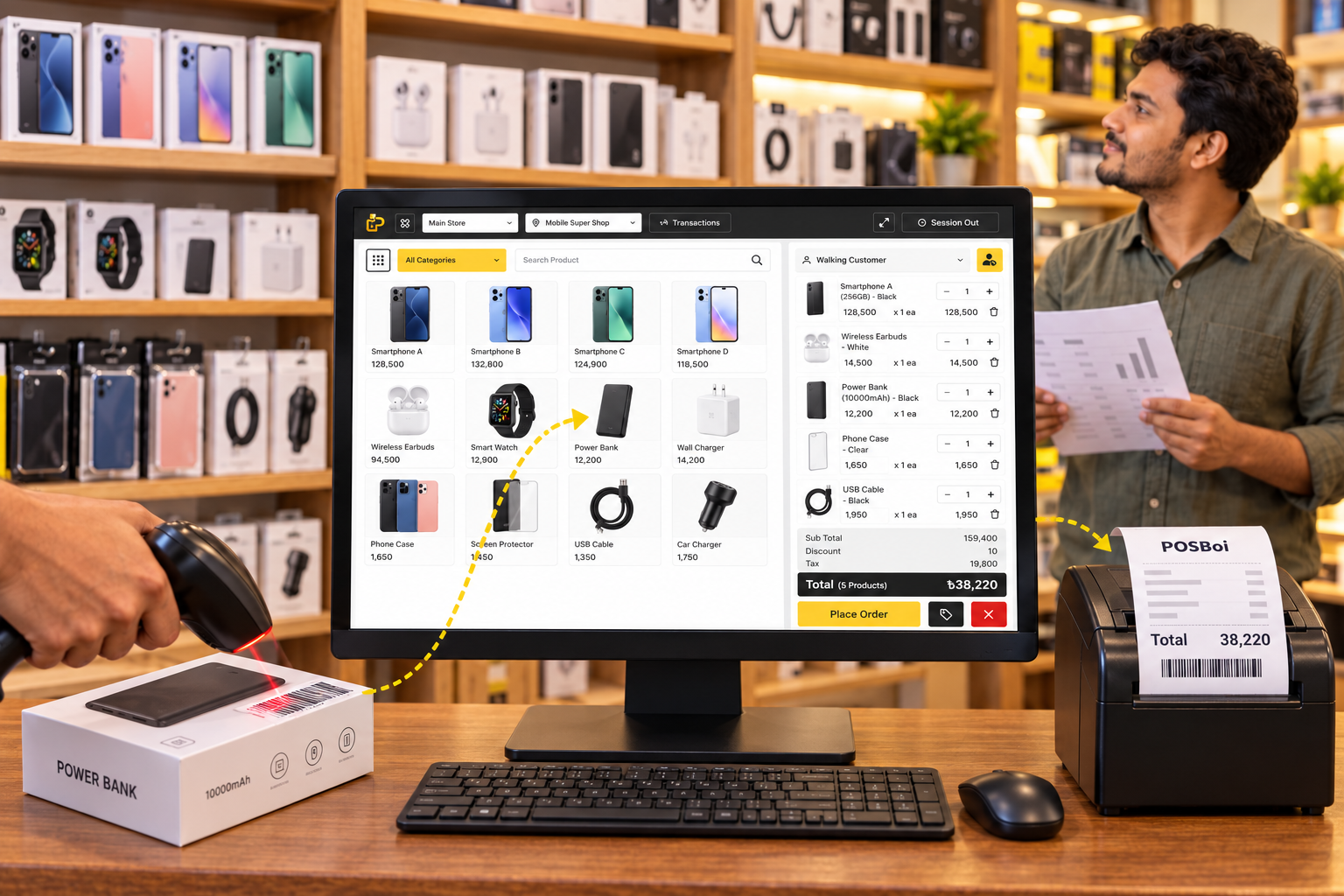
বিক্রি থেকে স্টকের হিসাব—ডিজিটাল POS সফটওয়্যার কীভাবে সাহায্য...
Shop Techvill · 20-10-2026