What Is a POS System? Features and Benefits for Shops in Bangladesh
What is a POS system? Learn how it works, its key features and benefits for shops in Bangladesh, and how to choose the right POS software for your business.
 Nazmul Hasan
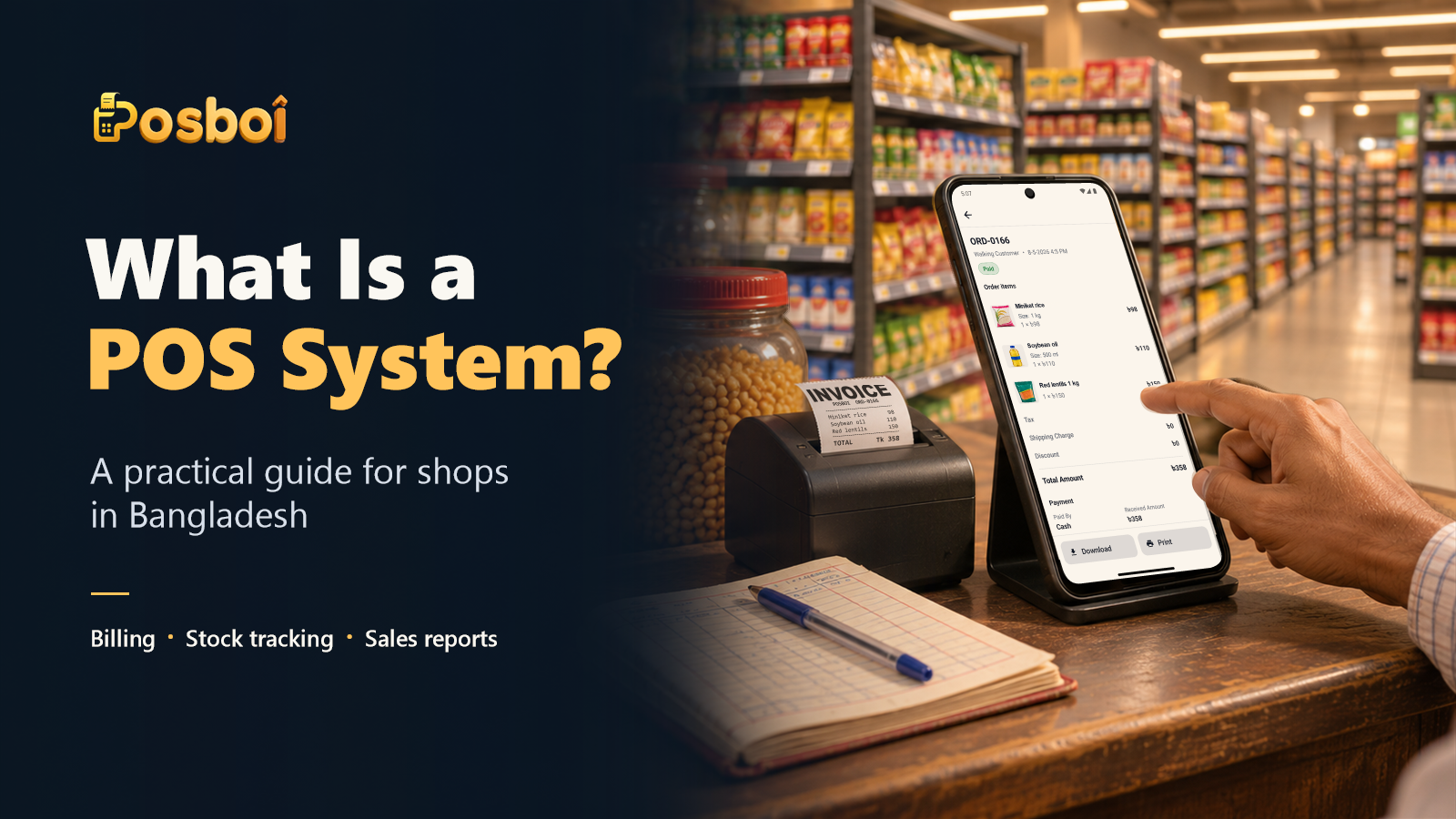
POS stands for point of sale: the place and the system where a customer pays for a product or service. In a modern shop, a POS system is the hardware and software that records the sale, takes the payment, prints the receipt and updates your stock automatically.
If you run a grocery store, pharmacy, clothing shop or restaurant, you may still be writing sales in a khata book or a notebook. That works at first. As the shop grows, it becomes slow, and mistakes in stock and due balances start costing real money.
This guide explains what a POS is in simple words, how it works, its parts and types, and how to choose the right POS software in Bangladesh. It also shows how POSBoi, a cloud-based POS you can use from your Android phone, helps shops manage sales and stock.
Quick answer: key points
- A POS system records every sale, takes the payment and updates stock automatically.
- Its main features are billing, inventory tracking, reports, multi-store control and cloud access.
- The biggest benefits for shops in Bangladesh are faster billing, accurate stock, fewer mistakes and clear profit reports.
- A mobile, cloud POS is usually the cheapest way for a small shop to start.
What is a POS system?
A POS (point of sale) system is the combination of software and hardware that a business uses to process sales. Every time a customer buys something, the POS records what was sold, calculates the total, accepts the payment and stores the data.
The term "point of sale" simply means the moment and place where the sale is completed. Years ago that was a cash register at the counter. Today it can be a tablet, a computer, or an app on your phone.
A modern POS does much more than a cash register. Along with billing, it tracks inventory, keeps customer records, manages due balances and shows you reports on sales and profit. That is why people also search for it as "POS software" or "billing software".
POS meaning in short: POS = Point of Sale = the system that handles your billing, payments and stock in one place.
POS system vs cash register: what is the difference?
Many shop owners ask if they really need a POS when they already have a cash register or a notebook. This table shows the difference.
Notebook or cash register | POS system | |
|---|---|---|
Records sales | Yes, by hand | Yes, automatically |
Updates stock | No | Yes, after every sale |
Reports on sales and profit | Manual calculation | Instant reports |
Multiple staff and branches | Hard to track | Managed in one system |
Risk of calculation errors | High | Low |
Access from outside the shop | No | Yes, with a cloud POS |
How does a POS system work?
A POS system turns one sale into several automatic actions. Here is the usual flow in a shop:
- Add the item. The cashier scans a barcode or picks the product from the list.
- Calculate the total. The system adds prices, discounts and any VAT.
- Take payment. The customer pays by cash, mobile banking or card, or the sale is saved as due.
- Print or send the receipt. A printed memo or a digital receipt goes to the customer.
- Update stock. The sold quantity is deducted from inventory right away.
- Record the data. Sales, profit and customer balance are saved and appear in your reports.
Because every step happens in one system, you do not have to re-enter anything at the end of the day.
Main components of a POS system
A POS has two parts: hardware you touch and software that runs the logic.
Part | What it does | Examples |
|---|---|---|
Software | Billing, inventory, reports, customer records | POS app such as POSBoi |
Device | Runs the software | Smartphone, tablet, computer |
Barcode scanner | Reads product codes quickly | Handheld or phone camera |
Receipt printer | Prints memos and invoices | Thermal printer |
Cash drawer | Holds cash safely | Optional for small shops |
A small shop does not need all of these. With a mobile POS app, a smartphone can be your device, scanner and billing counter together.
Types of POS systems
- Traditional (terminal) POS: a fixed computer, screen and printer at the counter. It suits large stores but costs more to set up.
- Mobile POS: runs on a smartphone or tablet. It is cheap to start and lets you bill from anywhere in the shop.
- Cloud POS: stores data online, so you can check sales and stock from any device, even when you are away from the shop.
For most small and medium shops in Bangladesh, a mobile, cloud-based POS is the practical choice. It needs no expensive machine and you can check your shop from anywhere. See the POSBoi features to find out how a cloud POS works in practice.
Cloud POS vs on-premise POS
Cloud POS | On-premise POS | |
|---|---|---|
Where data is stored | Online, on the provider's servers | On your own computer |
Setup | Install an app or log in | Install software and set up a machine |
Check sales from home | Yes | Usually no |
Software updates | Automatic | Manual |
Needs internet | Yes, for most functions | No, but data stays on one machine |
Best for | Small shops and growing chains | Shops with fixed counters and no internet |
Benefits of a POS system for shops in Bangladesh
- Faster billing. Customers wait less and you serve more people.
- Accurate stock. You always know what is in the shop and what is running out, so you avoid dead stock and missed sales.
- Fewer calculation mistakes. The system adds, discounts and subtracts for you.
- Clear due (baki) records. Customer balances are saved with dates, so there is less argument and less lost money.
- Real profit reports. See daily, weekly and monthly sales and profit without doing the math by hand.
- Staff control. Give cashiers limited access and see who made each sale.
- Professional image. Printed or digital receipts build customer trust.
POS system for different shops in Bangladesh
A POS helps almost every kind of retail business. These are the shop types where it makes the biggest difference:
- Supermarkets and grocery stores: hundreds of small items and fast-moving stock need quick billing and stock tracking.
- Fashion and clothing shops: sizes, colours and seasonal stock are easy to lose track of without a system.
- Electronics and mobile shops: high-value items need accurate stock and sales records.
- Automobile parts shops: thousands of different parts are hard to count by hand.
- E-commerce sellers: one system keeps online and shop stock in step.
Whatever your shop type, the principle is the same: record every sale once, and let the system do the rest.
Key features of a POS system to look for
Before you choose POS software in Bangladesh, check that it covers the basics your shop needs every day.
- Billing with multiple payment options. Fast billing and the payment methods your customers actually use.
- Inventory management. Real-time stock monitoring so you always know what is available. See the POSBoi inventory features.
- Reports and analytics. Daily and monthly sales summaries that help you decide what to stock.
- Multi-store management. If you have more than one branch, you should manage them from one account.
- Cloud access. Check your shop from anywhere, not only from the counter.
- Bangla and English interface. Staff learn faster in the language they use every day.
- Support and training. Look for onboarding help and support when something goes wrong.
- Clear price and a free trial. Compare the pricing with what your shop earns, and start a free trial before you pay.
How much does a POS system cost in Bangladesh?
The cost depends on three things: the software plan, the hardware you buy, and the support you need.
- Software: cloud POS is usually paid monthly or yearly, so the upfront cost is low. On-premise software is often a one-time purchase.
- Hardware: a smartphone or tablet is enough to start. A barcode scanner and a thermal receipt printer add cost but are optional.
- Extras to ask about: setup and training fees, extra user or store charges, and the cost of support and updates.
Always ask what is included before you pay. See the current POSBoi pricing and start a free trial to test the system with your own products first.
How to choose a POS system in 5 steps
- List what your shop needs. Write down your daily tasks: billing, stock count, due records, staff, branches.
- Set a budget. Include software, hardware and yearly support.
- Check local fit. The system should support Bangla, local payment methods such as bKash and Nagad, and VAT if it applies to you.
- Test it with a free trial. Add 20 real products and make a few sales before you decide.
- Train your staff. Ask for onboarding and support so your team can use it from day one.
Common mistakes when buying a POS system
- Paying for features your shop will never use.
- Choosing only on price and ignoring support.
- Skipping the free trial.
- Not entering opening stock correctly, which makes every later report wrong.
- Not training the staff who will bill customers every day.
What is POSBoi?
POSBoi is a cloud-based POS system built for businesses in Bangladesh. It brings billing, inventory and reports into one app, so you can leave the paper khata behind.
- Inventory management with real-time stock monitoring
- Sales and payment processing with multiple payment options
- Reports and analytics to see how the shop is performing
- Multi-store management from one platform
- Bangla and English interface, with onboarding and support
POSBoi suits supermarkets and grocery stores, fashion shops, electronics and mobile shops, automobile parts shops and online sellers. You can use the Android app on Google Play and see all POSBoi features on the website.
To get started, check the pricing plans, then start your free trial. Questions? Use the contact section or read more guides on the POSBoi blog.
Frequently asked questions
What does POS stand for?
POS stands for point of sale. It is the place and the system where a customer pays for a purchase.
What is a POS system in simple words?
A POS system is the software and hardware you use to bill customers, take payments and keep sales and stock records in one place.
What is POS software?
POS software is the program that handles billing, payments, inventory and reports. It can run on a phone, tablet or computer.
Is a POS system only for big shops?
No. Small shops benefit a lot, because even a simple POS saves time and reduces stock and calculation mistakes.
Can I use my mobile phone as a POS?
Yes. A mobile POS app turns your smartphone into a billing counter. POSBoi has an Android app on Google Play.
What is the difference between a cash register and a POS?
A cash register only records money. A POS also tracks inventory, reports and multiple branches.
Which POS software is best for a small shop in Bangladesh?
The best one is easy for your staff, supports Bangla, tracks stock in real time, and offers a free trial and support. Compare options against that checklist, then try POSBoi free.
How much does a POS system cost in Bangladesh?
Price depends on the software, number of users or stores, and hardware. Cloud and mobile POS usually cost less to start than a full counter setup. See the current POSBoi pricing.
Conclusion
A POS system is the digital version of your counter: it bills the customer, takes the payment, updates your stock and records the sale in one step. For a shop owner, that means less time on paperwork and a clearer view of what is selling and what is earning.
Ready to leave the paper khata behind? Start your free POSBoi trial, check the pricing, or read more shop-management guides on the POSBoi blog.
Nazmul Hasan
ব্যবসা ও প্রযুক্তি লেখকPOS, ব্যবসা পরিচালনা ও ডিজিটাল প্রযুক্তি নিয়ে নিয়মিত লিখেন।